|
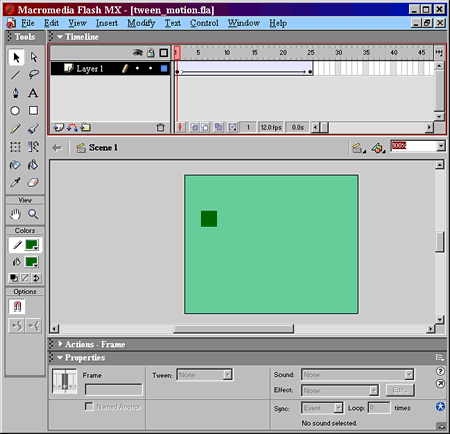
Flash Motion Tween TutorialFlash tutorial on how to create a motion tween, created Aug 2006. - With playhead on frame one, draw rectangle. - Click on frame 25, right click and select Insert Keyframe. - Click on Arrow Tool and Drag rectangle across screen. - Right click on frame 25, select Create Motion Tween. - Right click on any frame between 1 and 25, and select Create Motion Tween. Tween arrow will appear.
|
|
|
All Content ©2025 WebRef.eu |